DDoS 攻擊模擬與 Cloud Armor 防禦實測 DDoS Attack Simulation & Cloud Armor Defense Testing
這篇文章記錄我用自己的電腦、在內網模擬 DDoS 攻擊的過程,以及 GCP Cloud Armor 如何把大量請求擋下來。所有測試都在私有環境進行,目的是驗證防禦機制,而非攻擊真實目標。
什麼是 DDoS?
DDoS(分散式阻斷服務,Distributed Denial of Service)是一種網路攻擊——透過操控大量裝置湧入異常流量,癱瘓目標網站或伺服器,讓正常使用者無法存取。
關鍵字是「分散式」:單台電腦的流量有限,攻擊者會入侵大量主機(稱為 botnet / 殭屍網路),集結成一支「流量軍隊」再一起打。
模擬工具:Locust 壓測框架
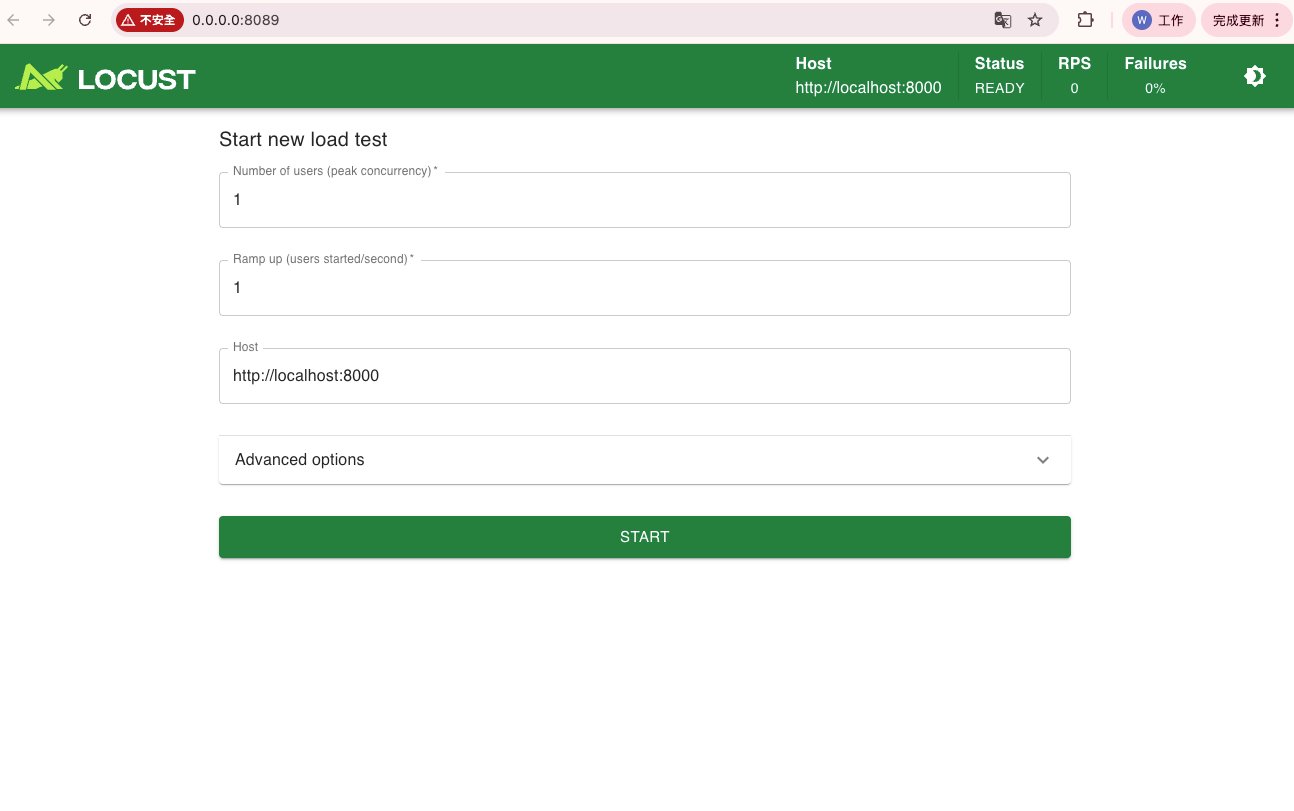
我用 Locust 作為這次的攻擊模擬工具,可以設定使用者數量與 Ramp up 速率,直觀地控制流量規模。
模擬工具:hey 攻擊指令
我用 hey 這個壓測工具模擬攻擊行為:
hey -n 1000000 -c 1000 -t 30 https://your-test-site.example.com/| 參數 | 意義 |
|---|---|
-n 1000000 | 總共送 100 萬次請求 |
-c 1000 | 同時保持 1000 個並發連線 |
-t 30 | 每個請求 timeout 30 秒 |
「真的能打到 100 萬次嗎?」
不一定,取決於三個瓶頸:
- 本機網路:家用上傳頻寬通常 100 Mbps,可能連 5000 RPS 都達不到
- 本機 CPU:單台筆電開 1000 並發,CPU 會先燒起來
- 目標端承受能力:Cloud Run 預設只有 80 併發,100 RPS 就可能讓它掛掉
實務上單機 hey 大約能打出 1000~5000 RPS(每秒請求數)。要更大流量就得靠分散式——這也是真實 DDoS 需要 botnet 的原因。
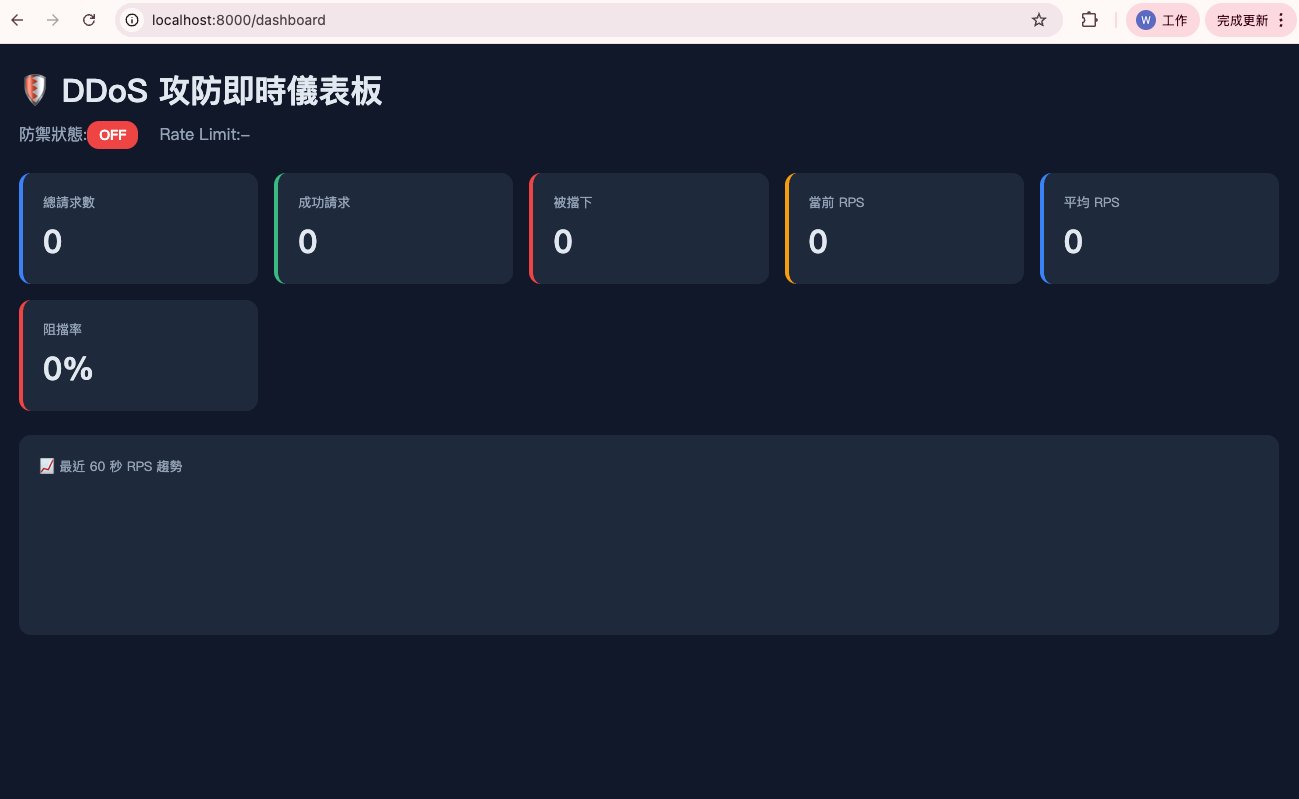
防禦 OFF — 儀表板初始狀態
防禦 OFF — 壓測進行中
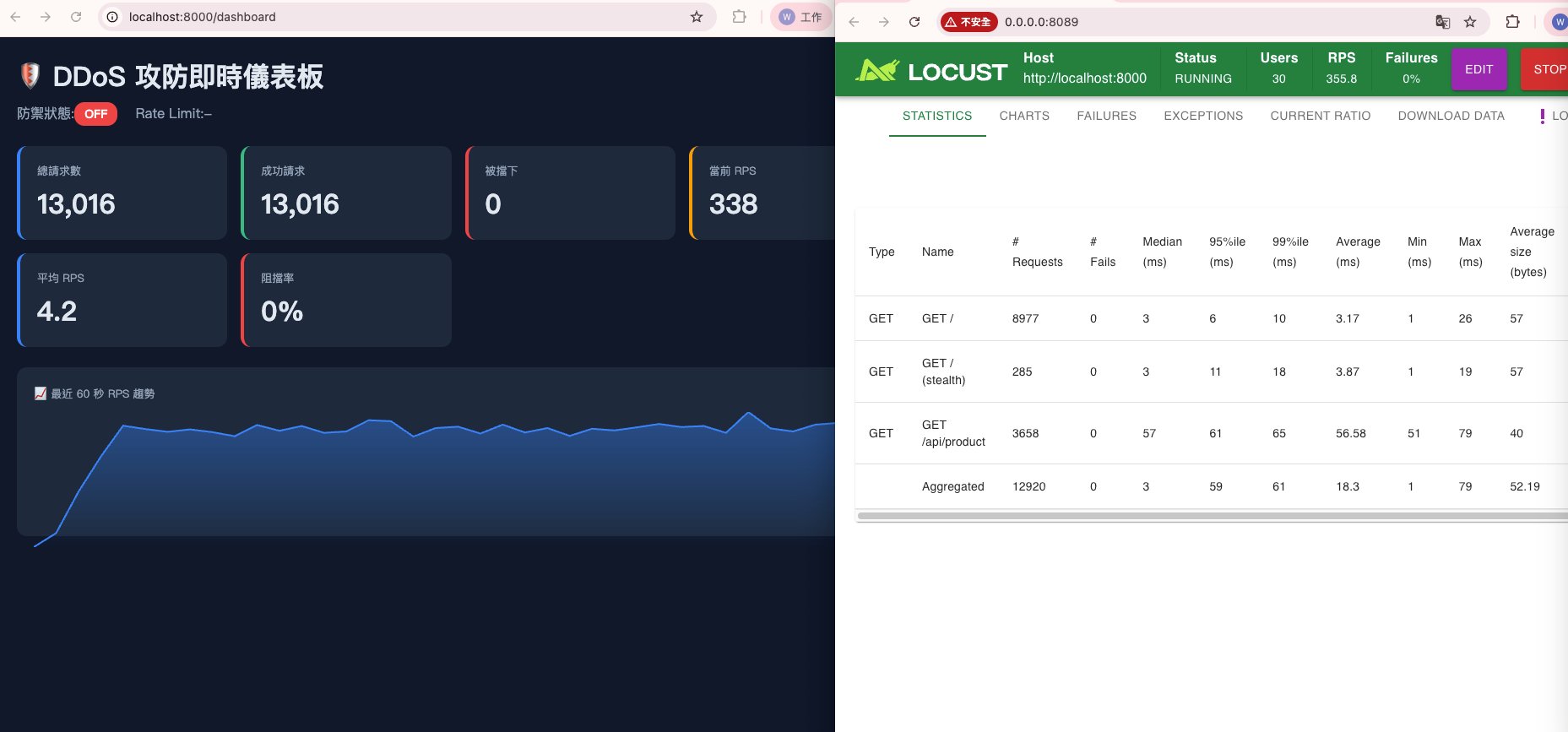
30 個 User、RPS 355,所有請求全數通過,阻擋率 0%。
防禦實測:GCP Cloud Armor
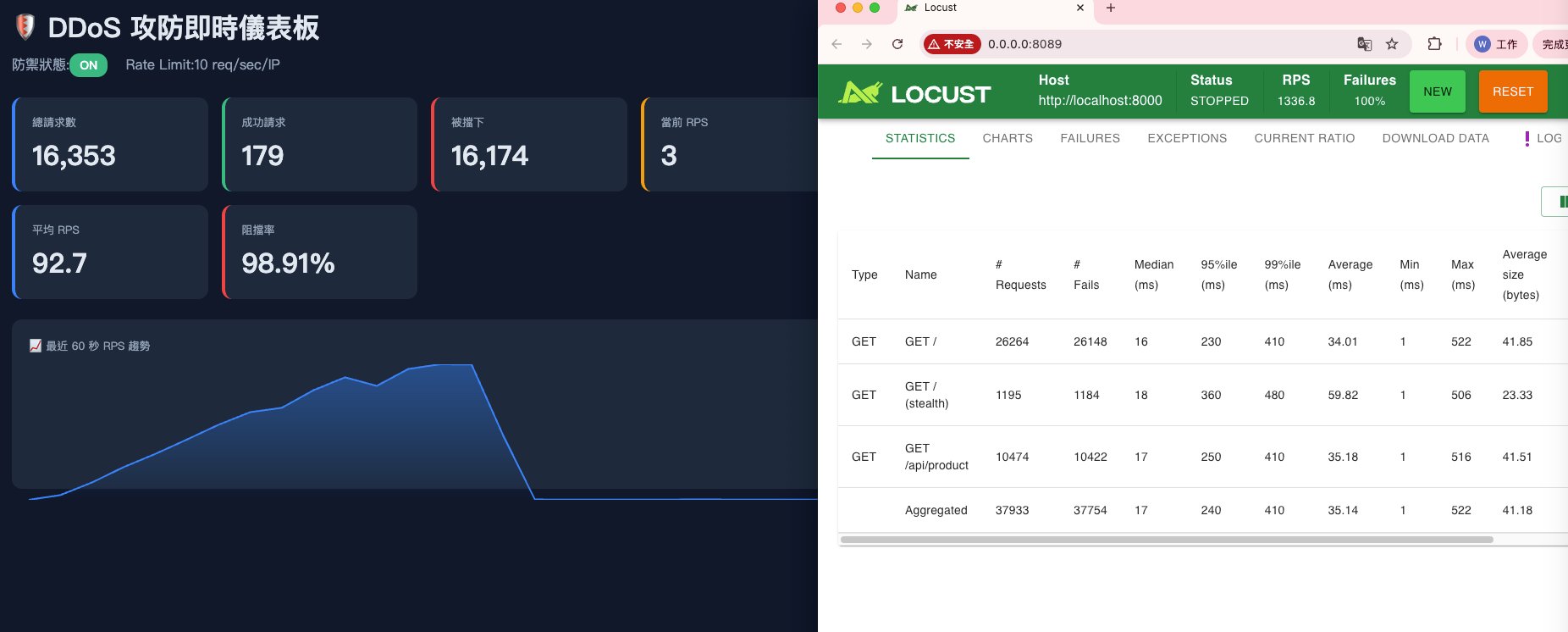
Cloud Armor 的核心功能之一是 Rate Limiting(速率限制):設定每秒最多允許多少請求,超過就擋掉。
測試結果:開啟 Rate Limiting(10 req/sec/IP)後,超出閾值的請求直接被擋下,阻擋率從 0% 飆升至 98.91%,正常流量則完全不受影響。
補充:有了 VPC Firewall,為什麼還需要 Cloud Armor?
這是我在客戶現場最常被問到的問題。答案在於防護層次不同:
VPC Firewall — L3/L4 層
看的是 IP 位址、Port、Protocol。
「拒絕來自這個 IP 的所有 TCP 連線」
它看不懂 HTTP 請求的內容,也分辨不出「正常的 API 呼叫」和「惡意爬蟲」。
Cloud Armor — L7 層
可以看到 HTTP Header、URL 路徑、User-Agent、Request Body,甚至能判斷 query string 裡有沒有 SQL Injection 特徵。
「這個請求想做什麼?每秒打了幾次?有沒有攻擊特徵?」
一句話總結
| VPC Firewall | Cloud Armor | |
|---|---|---|
| 防護層 | L3/L4 | L7 |
| 管的是 | 誰能進來(IP / Port) | 進來的請求長什麼樣 |
| 典型場景 | 封鎖特定 IP | 擋 DDoS、SQL Injection、爬蟲 |
兩者不是替代關係,而是互補的縱深防禦。
Pre-sales 視角
當客戶問「你們的防護能力怎麼樣」,能展示一次實測過程——包括攻擊指令、防禦設定、Log 截圖——遠比說「我們有 Cloud Armor 很安全」更有說服力。
技術細節是信任的基礎。
This post documents how I simulated a DDoS attack on my own machine in a private network, and how GCP Cloud Armor blocked the traffic. All tests were conducted in a private environment to verify defense mechanisms — not to attack real targets.
What Is DDoS?
DDoS (Distributed Denial of Service) is a network attack — by controlling large numbers of devices to flood a target with abnormal traffic, making the website or server unavailable to normal users.
The key word is "distributed": a single machine has limited traffic capacity, so attackers compromise large numbers of hosts (called a botnet) to assemble a "traffic army" that attacks together.
Simulation Tool: Locust Load Testing Framework
I used Locust as the attack simulation tool, which lets you configure user count and ramp-up rate to intuitively control traffic volume.
Simulation Tool: hey Attack Command
I used the hey load testing tool to simulate attack behavior:
hey -n 1000000 -c 1000 -t 30 https://your-test-site.example.com/
| Parameter | Meaning |
|---|---|
-n 1000000 | Send 1 million total requests |
-c 1000 | Maintain 1,000 concurrent connections |
-t 30 | 30-second timeout per request |
"Can it really hit 1 million requests?"
Not necessarily — it depends on three bottlenecks:
- Local network: Home upload bandwidth is typically 100 Mbps — may not even reach 5,000 RPS
- Local CPU: Opening 1,000 concurrent connections on a single laptop will max out the CPU first
- Target capacity: Cloud Run defaults to 80 concurrent connections — 100 RPS might already bring it down
In practice, a single machine with hey can generate roughly 1,000–5,000 RPS. For larger traffic you need distributed infrastructure — which is why real DDoS attacks need botnets.
Defense OFF — Initial Dashboard State
Defense OFF — Load Test In Progress
30 users, RPS 355, all requests passing through, 0% block rate.
Defense Testing: GCP Cloud Armor
One of Cloud Armor's core features is Rate Limiting: set the maximum number of requests allowed per second, and block anything beyond that threshold.
Test result: after enabling Rate Limiting (10 req/sec/IP), requests exceeding the threshold were immediately blocked. The block rate jumped from 0% to 98.91%, with normal traffic completely unaffected.
VPC Firewall vs Cloud Armor: Why Do You Need Both?
This is the most common question I get from clients. The answer lies in the different protection layers:
VPC Firewall — L3/L4
Looks at IP addresses, Ports, Protocols.
"Deny all TCP connections from this IP"
It can't read HTTP request content or distinguish between "a normal API call" and "a malicious crawler."
Cloud Armor — L7
Can inspect HTTP headers, URL paths, User-Agent, Request Body — even detect SQL injection patterns in query strings.
"What is this request trying to do? How many times per second? Any attack signatures?"
Summary
| VPC Firewall | Cloud Armor | |
|---|---|---|
| Layer | L3/L4 | L7 |
| Controls | Who can enter (IP/Port) | What incoming requests look like |
| Typical use | Block specific IPs | Stop DDoS, SQLi, crawlers |
They're not replacements for each other — they're complementary layers of defense-in-depth.
Pre-sales Perspective
When a client asks "how good is your security?", being able to show a real test — including the attack command, defense configuration, and log screenshots — is far more convincing than just saying "we have Cloud Armor, it's very safe."
Technical details are the foundation of trust.